Questions, answered.
Everything we’re asked most about designing, ordering and selling greeting cards — plus short video tutorials for the online designer. Can’t see your question? Drop us a line and we’ll answer it.
Ordering your cards
Can I design my greeting card online?
Yes. The online designer lets you upload your image, add text to the back of the card (and inside if you like), and choose from a range of fonts, styles and colours. You see exactly how the card will print before you order.
Can I use my own print-ready design?
Yes. If you already have a finished design, we print greeting cards, postcards, bookmarks and business cards straight from your print-ready PDF — made in Canva, Affinity Designer, Photoshop, InDesign, Illustrator or CorelDraw. Every size has a template with trim, bleed and safe area marked.
Cards from your artwork · Watch: cards from a print-ready PDF
Can you design my card for me?
Happily. Tell us the text you’d like on the back, upload your image at the end of the order, and we’ll lay the card out for you — and get in touch if anything needs a second look.
How do I repeat a previous card order?
As long as you’re logged in when you order, every card order is saved to your account automatically. Go to Your Orders & Designs, find the card, and reorder it as-is or open it in the designer to make changes first.
Ordered before you had an account, or while logged out? We’ve still got the design — ask us to add it to your account and you can reorder it here.
Can I get a quantity discount across several designs?
Yes. Quantity discounts are worked out per card stock, not per design, so you can mix sizes and designs freely on the same stock and still get the better price. Discounts start at 10 cards and step up at 25, 50, 100, 250, 500, 750, 1,000 and on up to 5,000.
What’s the minimum order?
Just one card. The best way to check how your image will print is to design the card and order a single copy as a proof. If you’re happy, reorder as many as you like from your account.
Using the online designer
How do I use the greeting card designer?
Start with the short video tutorials below — signing in, choosing a size, adding your image and text, and saving a design for later. The whole thing takes a few minutes the first time.
What image file formats can I use?
JPG, PNG, TIFF, SVG, PDF, HEIC, WEBP, JPEG-XL and AVIF. Images should be RGB (not CMYK), ideally saved in the sRGB colour space.
- JPG — the usual choice for photographs; small files, good quality.
- PNG — graphics and logos, keeps transparency.
- TIFF — high-quality, uncompressed; favoured by photographers.
- SVG — vector logos and graphics that scale without losing quality.
- PDF — finished layouts from design software.
- HEIC, WEBP, JPEG-XL, AVIF — newer formats from phones and the web; all accepted.
How do I know if my image is good enough quality?
Order one. With a minimum order of a single card, the surest test is to design the card with your photo and order a proof. Every card we print is kept in your account, so if it looks right you can reorder straight away.
How do I save a design for later?
Use Save in the designer and the card is kept in your account to finish another time. It’s also handy for making a template — your details and logo set up once, ready for a whole range of new designs.
What’s the easiest way to edit my images?
You don’t need much. The card designer lets you scale, crop and position your image on the card, so most photos need no editing at all. For anything more — straightening, colour, retouching — use whatever you already have: Photos on a Mac or iPhone, Photos on Windows, or a free app such as Canva. Save as a JPG or PNG and upload that.
Can the Redcliffe credit on the back be removed?
Yes. Cards made in the online designer carry two small lines on the back by default: “Printed in the UK on board from fully sustainable forests” and “Redcliffe Imaging Ltd • www.custom-printed-cards.co.uk”. Tick Remove Redcliffe Branding and the whole text is removed. It’s a one-off £2.40 per design, and once it’s gone it’s gone for good — every reorder of that design stays brand-free with nothing more to pay.
Cards you design yourself in Canva, Affinity, Photoshop, InDesign, Illustrator or CorelDraw and send us as a print-ready PDF never carry the credit.
How do I type a © copyright symbol?
On a PC, hold Alt and type 0169 on the numeric keypad. On a Mac, press Option + G.
Card, envelopes & finishing
What card stocks can I choose from?
Three, all premium weights: Smooth White 300gsm (our pick for photography), Textured White Matt 324gsm (our pick for art and illustration) and Glossy White 300gsm for punchy, saturated colour.
Compare the three stocks · Feel them first with the Studio Kit
What envelope colours are there?
Ten: white, ivory, brown kraft, crimson, gold, silver, purple, lavender, spring green and spring pink. Not every colour is stocked in every size — the order form shows what’s available for yours.
What clear sleeves do you offer?
Two kinds of self-seal sleeve: polypropylene, the crystal-clear sleeve most card makers use, and biodegradable, made with NATIVIA® bio-based film — compostable, biodegradable and recyclable. There are also plastic-free card catchers, a sticker that holds card and envelope together with no sleeve at all.
Are the inks and envelope glue vegan-friendly?
Yes. Konica Minolta, who make our digital press, have signed a vegan declaration confirming that no animal products, by-products or derivatives are used in the toner and consumables they supply to us, and our envelope supplier confirms all glues are plant-based.
Do you offer a sample pack?
Yes — the Studio Kit, £12 with free UK delivery: printed cards on all three stocks, postcards, bookmarks, business cards, envelopes and sleeves, plus twenty fine art papers and a colour calibration print.
Can I order extra envelopes or sleeves?
Of course. Extras can be added to any card order as you go, or ordered on their own from the envelopes & extras page.
Delivery & returns
How long will my order take?
Orders are usually printed, checked and packed within 1–5 working days. Smaller orders go by Royal Mail first class; larger ones by DPD tracked courier. If an order is urgent, tell us when you place it and we’ll do our best to meet your date.
My order arrived damaged — what do I do?
Let us know straight away and we’ll replace or refund the damaged cards. A couple of photos of the cards and the packaging helps us claim from the carrier, so please take some before you get in touch.
What is your returns and refund policy?
A 30-day, 100% money-back guarantee. We take real pride in the cards we print, so if you’re not delighted with an order, tell us and we’ll put it right.
Artwork & selling your cards
How do I make a card from an original painting or drawing?
Two ways. The easy one: send us the original and we’ll scan it for you — flat artwork up to A3, £20 for the first scan and £10 for each extra piece, file emailed and the original posted back. See artwork scanning for cards.
Or photograph it yourself. Most modern cameras and phones will take a good enough photo if you follow a few rules:
- Light. Bright, soft, even light — natural daylight on an overcast day is ideal, outdoors or next to a big window. It avoids glare and hard shadows. Turn the flash off, and turn room lights off too: artificial light gives a colour cast.
- Keep the camera still. A tripod is best (a perfectly good one costs under £20); failing that, rest the camera on something solid and use the self-timer so pressing the button doesn’t shake it.
- Square it up. Plain background, artwork parallel to the lens — if the work has to lean to stand, tilt the camera to match. Get close enough to fill the frame, and zoom in a touch to avoid the slight wide-angle distortion many cameras have at their widest.
- Best quality settings. Highest image-quality setting, ISO 100 or 200 (or just leave it on Auto). If a piece is large or important, a professional photographer with a studio camera is worth it — ask for a RAW file.
- Check it. Crop and straighten in any photo editor — the one built into your phone or computer is fine — and check it’s sharp at full size.
Not sure it’s good enough? The minimum order is one card, so order a single card as a proof. We archive every card we print, so once you’re happy you can reorder from your account.
Why doesn’t my printed card match my screen?
Screens glow; paper doesn’t. Most screens can also show a wider range of colour than any print can reach — bright reds and deep blues in particular often print less saturated than they look on screen, because they’re outside what a printing press can reproduce. If you’ve spent time editing an image and want it reproduced accurately, save it in the sRGB colour space and give your screen the quick checks below.
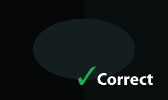
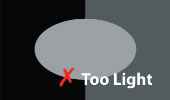
Too dark or too light? In the middle square you should just be able to make out a dark grey oval on the black background. If you can’t, your screen is set too dark; if it’s obvious, too light.

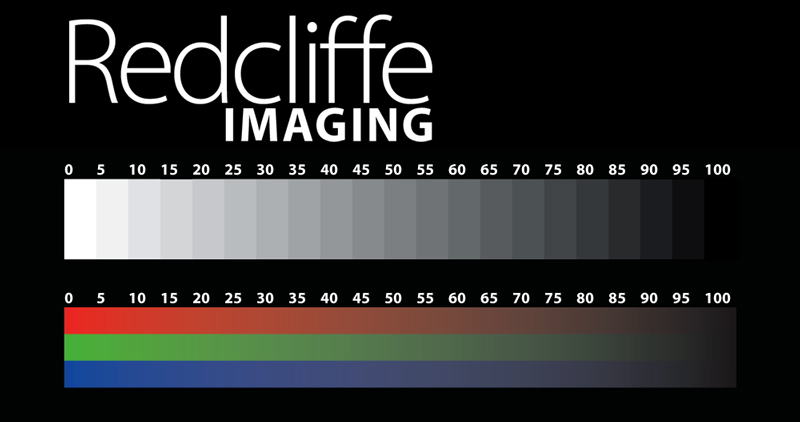
Colours close to aim? On the greyscale you should see every step from 0 (pure white) to 100 (pure black), with steps 95 to 100 only just distinguishable. The red–green–blue spectrum should be a smooth blend — if you can see banding, your display isn’t set to show millions of colours.
Finally, a quick visual check on the skin tones and contrast in the calibration print below — do they look natural to you?
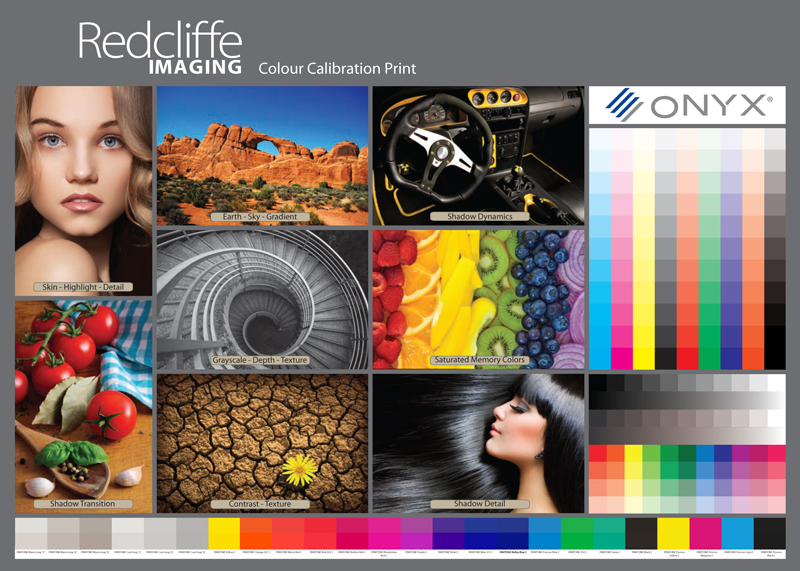
If those look right, what you see on screen will be reasonably close to what we print. Want to be certain? Order one card as a proof before a bigger run.
Do I need a barcode on the back of my card?
Only if you plan to sell through retail chains or larger shops, which usually require an EAN-13 barcode (the standard 13-digit one) on the back. Independent shops, galleries and fairs generally don’t.
How they work. The number lets a retailer put your card on their stock system, charge the right price at the till and reorder when stock runs low. Every EAN-13 number is unique and yours alone to use, so you have to buy them. Small publishers can buy numbers singly or in fives from independent suppliers for a one-off payment — try Barcode Bird or Get A Barcode; the more you buy, the cheaper each is. Larger publishers register with GS1 UK, which allocates a company prefix and a block of 1,000 numbers for an annual fee.
Printing it on the card. A few things to get right:
- The barcode area should be white (or very pale) and the surface smooth — textured stock can affect scanning.
- Bars in black or a cold colour (dark blue, green, violet) — these read as black under a red scanner light. Avoid red, orange and yellow bars.
- Print at 100% size where you can; 80% is the smallest an EAN-13 is allowed.
- Leave clear space around it on the back of the card.
Would a barcode spoil the card? Print it on a self-adhesive label and stick that to the outside of the clear sleeve instead — the label can carry “Blank inside” and your details too.
What’s the best way to market my greeting cards?
The British send more cards per person than any other nation, so there’s a real market. Our guide to selling your greeting cards covers the basics in four short parts:
- Why cards work as marketing — one of the most affordable ways to share your work and build an income.
- Where to sell — fairs, shops, galleries, your own website, and the trade body and books worth knowing.
- Email marketing — simple, cheap, and a list that’s yours to keep.
- Instagram & Facebook — word of mouth between friends, at scale.
Short video tutorials.
A few minutes each, from signing in to reordering — plus an illustrated guide to adding text. Pick the one you need.
-
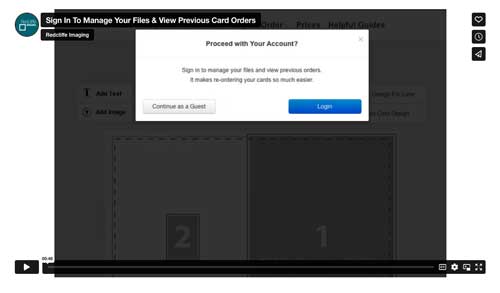 Sign in to your accountManage your image files, saved designs and previous orders.Watch the video
-
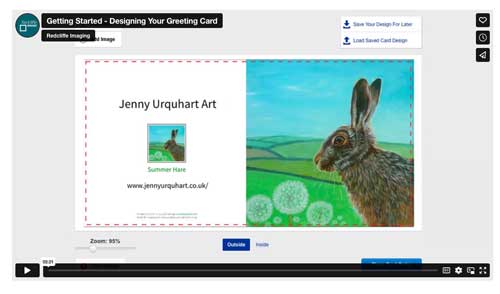 Designing your cardChoose a size, upload your image and add your text.Watch the video
-
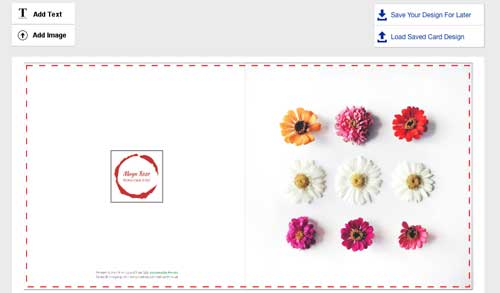 Adding an imageUpload PNG, JPG, TIFF, SVG or PDF files to your card.Watch the video
-
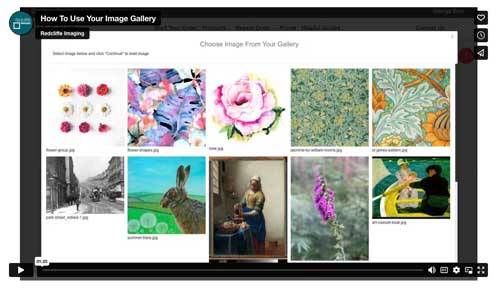 Using your image galleryUploaded images are saved, ready to reuse across sizes.Watch the video
-
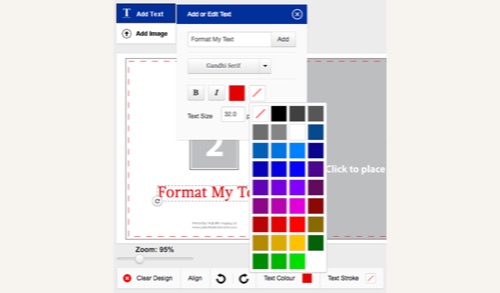 Adding & formatting textFonts, sizes, colours and layout for your text.Read the guide
-
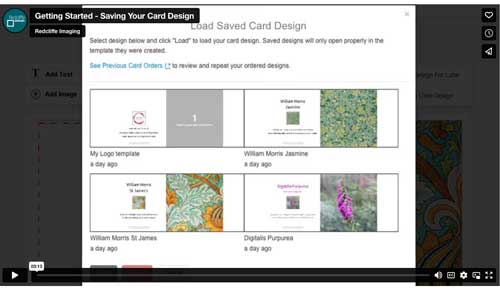 Saving a design for laterWork on a card, save it, and come back to it another day.Watch the video
-
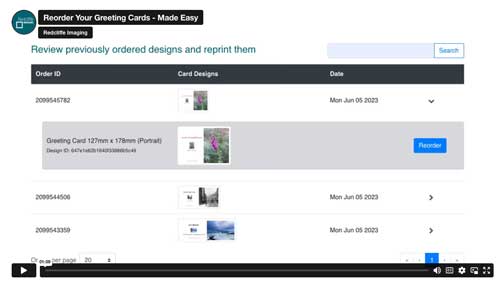 Reordering your cardsEvery order is saved, so reorders take a couple of clicks.Watch the video
-
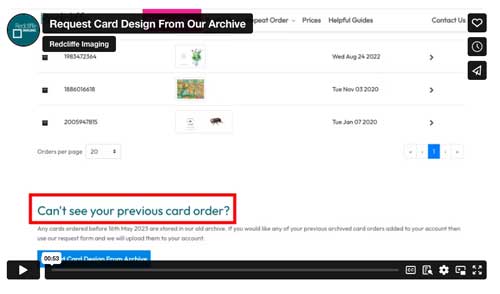 Cards from our old archiveOrdered before 16 May 2023? Ask us to add it to your account.Watch the video
-
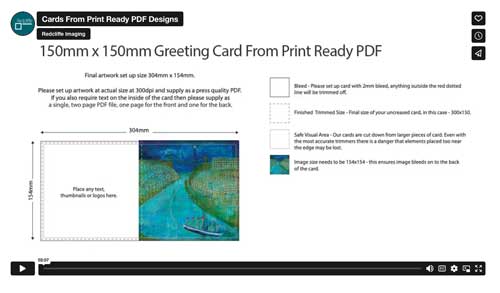 Cards from a print-ready PDFFrom Affinity, Photoshop, Illustrator or Canva to printed cards.Watch the video
Ask us directly.
Our advice is always free. Send a message with a few details about your artwork, sizes or quantities and we’ll point you the right way.