
How to Save Your Greeting Card Design for Later
Not ready to order yet? This video shows how to save a half-finished card with a memorable name, find it again under Load Saved Card Design, and carry on where you left off — and how a saved design doubles as a template for your whole range. It’s the second of four videos on saving and reordering: signing in comes first, and reordering past orders and archive designs follow.
Start Designing Your CardThe steps, written out.
Prefer to read? Here is everything the video covers, in order.
Sign in first
Saved designs live in your account, so make sure you’re signed in.
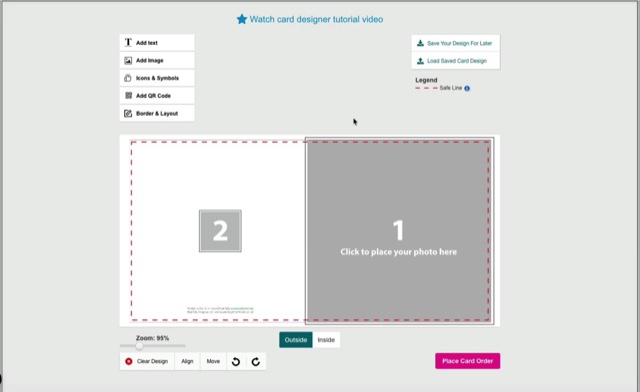
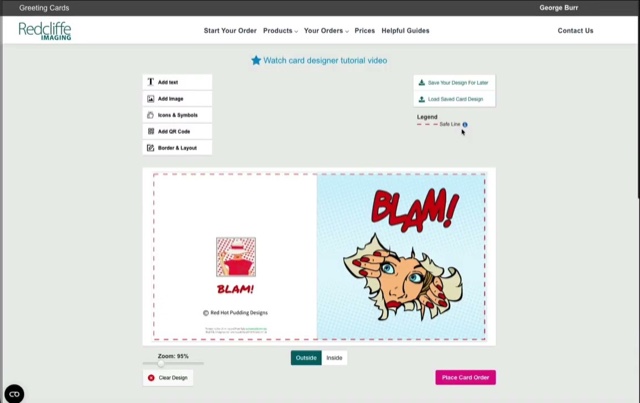
Save Your Design For Later
Click it at any point while designing and give the design a name you’ll recognise.
Come back to it
Open the designer and choose Load Saved Card Design to pick up exactly where you stopped.
Use it as a template
Set up your details and logo once, save it, then load it for each new image.
Kept for a year
Saved designs are stored for twelve months; completed orders are kept indefinitely.
Video transcript.
The written transcript for this video is on its way. In the meantime the steps above cover everything it shows.
More from the card designer.
Ready to try it?
Open the card designer and try it on your own artwork, or head back for the rest of the tutorials.