
How to Remove Redcliffe’s Branding from the Back of Your Greeting Card
Want the back of your card to carry only your own details? This video shows where the Remove Redcliffe branding option is, what it costs (a one-off £2.40 per design), and how later orders of the same design stay brand-free without paying again.
Start Designing Your CardThe steps, written out.
Prefer to read? Here is everything the video covers, in order.
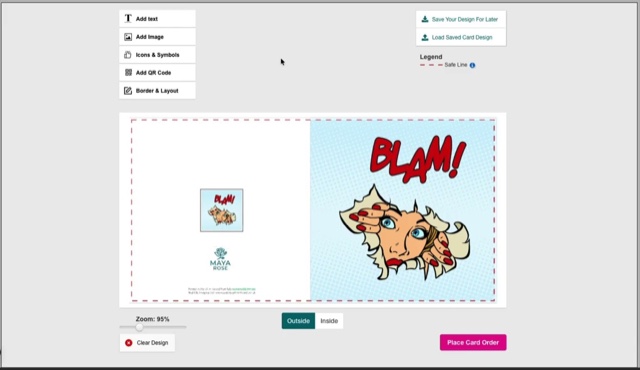
Turn the card over
The printer’s line sits at the foot of the back of the card.
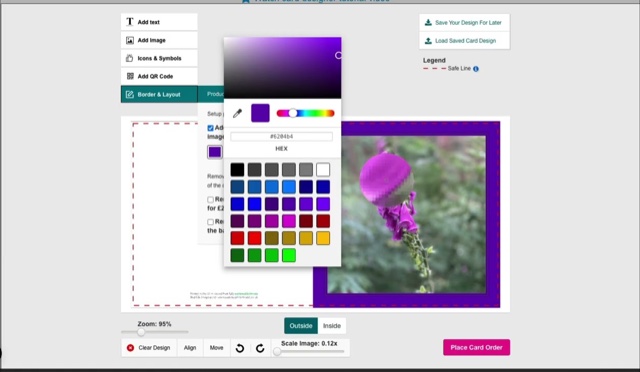
Open Border & Layout
Tick Remove Redcliffe branding.
A one-off £2.40
The fee is added to that order, per design, and shows in your basket.
Stays brand-free
Reorder the same design later and the branding stays off — there’s nothing more to pay.
Print-ready PDFs never carry it
Cards you supply as a finished PDF have no Redcliffe branding to remove.
Video transcript.
The written transcript for this video is on its way. In the meantime the steps above cover everything it shows.
Ready to try it?
Open the card designer and try it on your own artwork, or head back for the rest of the tutorials.